 AskFoodie.AI
Loyalty punch-cards
Reward regulars with a digital punch-card — visits add up to a reward the diner keeps in their wallet and uses at your counter.
A punch-card turns visits into a reward: "6 visits → a free dessert". Diners collect punches when you check them in, and a full card mints a reward that sits in their wallet until they choose to use it at your restaurant. One thing makes it trustworthy: once a diner holds your card, its terms are a promise — they can't be quietly changed underneath them.
How it works
-
Create your card under Loyalty → Punch card: how many visits (the threshold), what the reward is, and any fine print — plus a look (color theme, icon, or a photo background).
-
Publish it. From then on, diners who save their visit start collecting punches.
-
Punches come from a check-in. Ask the diner for their 4-digit code and enter it under Loyalty → Check in — one tap punches every card they're collecting. See Check diners in.
-
Diners watch it fill on your restaurant's page, and can see all their cards from any restaurant in their own punch-card wallet at /me/punch-cards.
-
A full card mints a reward into the diner's wallet, with your exact terms frozen into it — reward, description, and fine print as they stood at that moment.
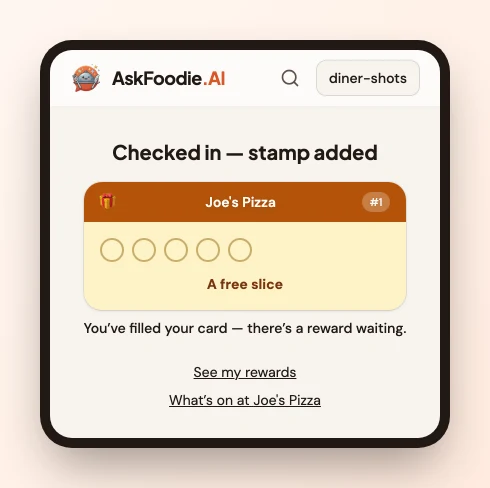
How a reward gets used
The diner spends it themselves; there is no staff "redeem" button, and they don't need to be checked in first. A check-in happens at the counter, at payment; a reward is spent at the table, when you take the order.
-
The diner opens their rewards and taps Show staff.
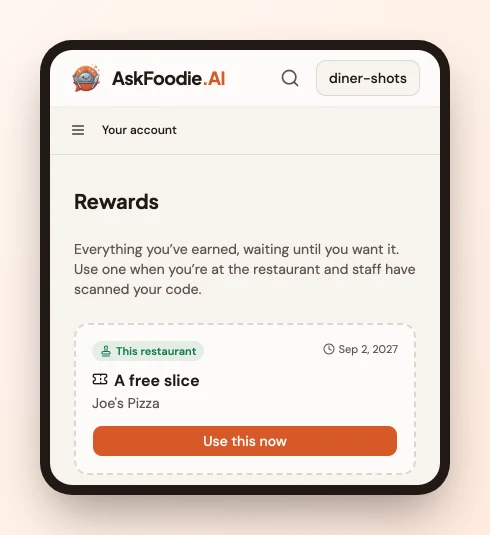
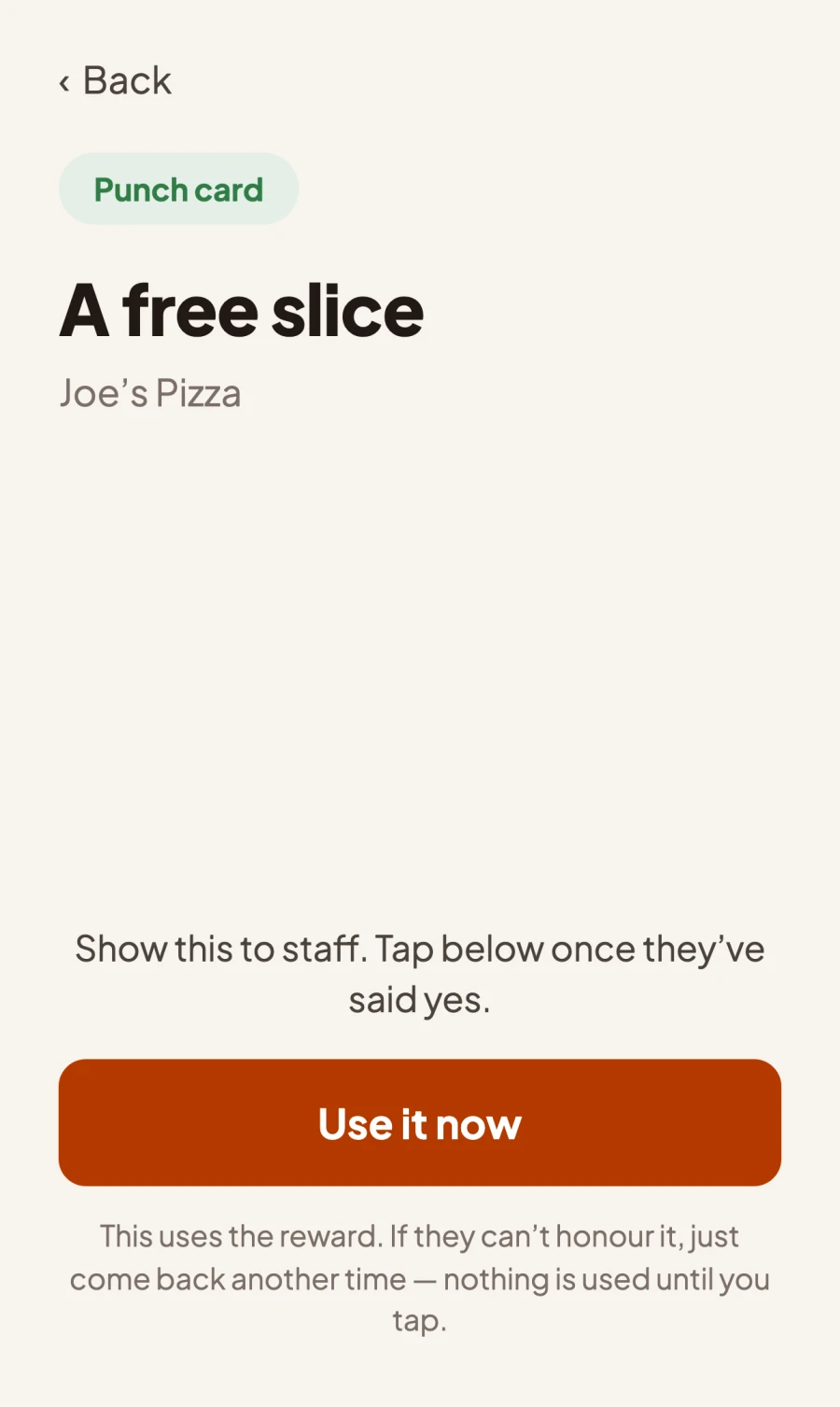
Their phone fills with the screen you read — the reward, any fine print, and the restaurant it belongs to. The Use it now button is on it, unpressed.
-
You say yes or no. Nothing has been spent yet. If you can't honour it right now, they close the screen and it's still theirs for next time.
-
They tap Use it now. That's the one-way step, and it comes after you've agreed — so a mis-tap isn't something you have to undo.
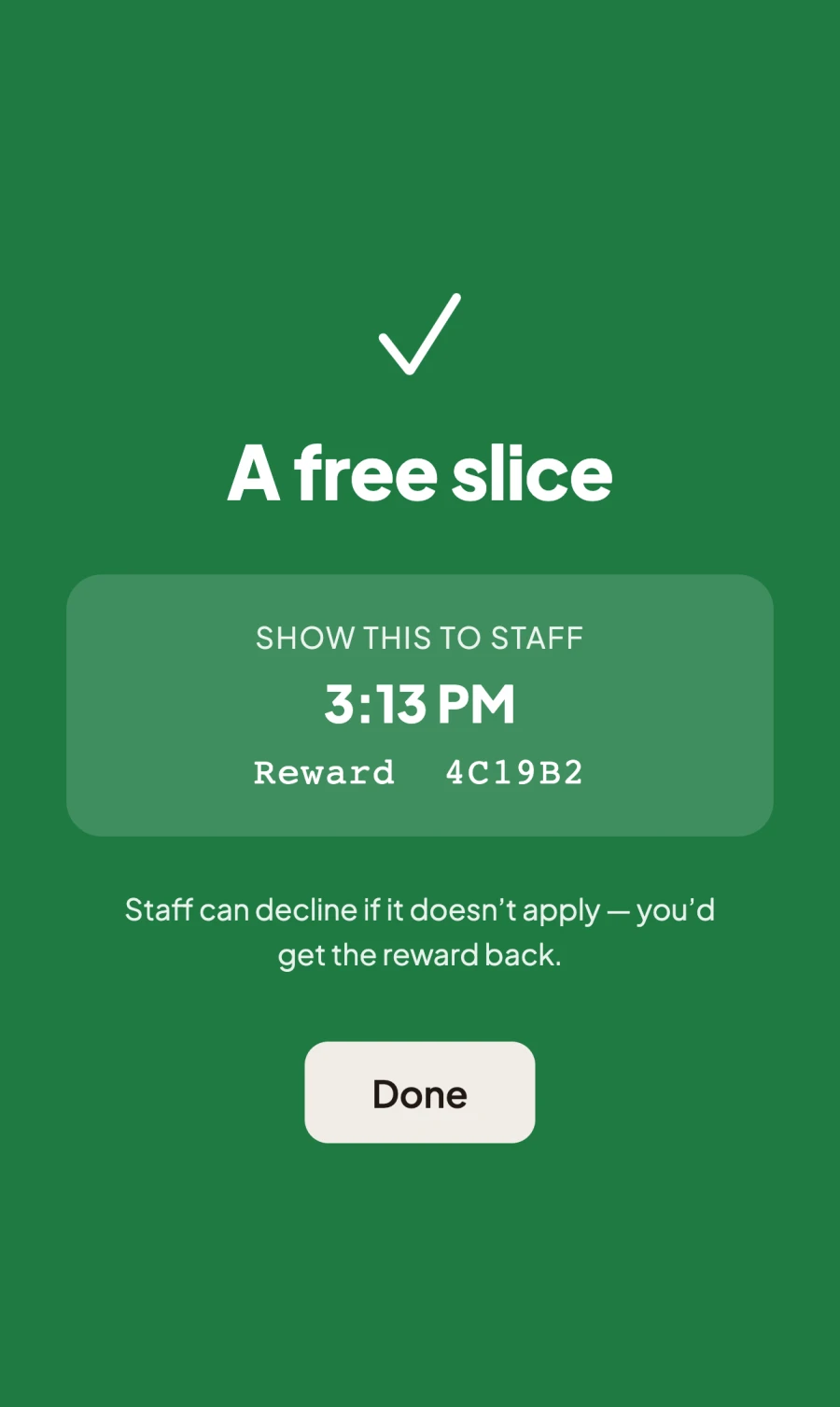
The green screen is the confirmation, and it carries the reward's number — the same one that appears in your Rewards used today list.
-
It appears on your side — a banner naming the diner and the reward on whichever page you're on, then a Rewards used today list on your Activity page.
-
You hand it over. Tap Done to clear the banner; that's a dismissal, not a claim that you served it.
-
If something's wrong, tap Decline — that returns the reward to the diner rather than burning it. You can decline until the end of your restaurant's day (at least 3 hours), which covers reconciling at close.
A punch-card reward only works at the restaurant that minted it — that's frozen into the reward and nothing the diner does can change it.
One reward per diner per 3 hours here, whichever programme it came from. If a diner uses a Foodie Passport reward with you, their punch-card reward is dimmed for the next 3 hours and vice versa: two promises, one bill.
Changing a published card
- Looks are always editable — theme, icon, photo, and your internal nickname save in place.
- Terms (visits, reward, fine print) depend on holders. If nobody has started your card yet, edit freely. Once diners hold it, changing terms publishes a new version — existing holders keep earning and redeeming on the card they were promised until it winds down (at least 30 more days), while new diners join the new one.
- Winding down: inside the editor you can stop new sign-ups (existing holders keep earning) or end the card — holders then get a 30-day window to claim an earned reward. You can extend that window any time if someone's about to lose a reward they earned.
Good to know
- A visit counts once per diner per 6 hours, so a regular who pops in twice in an afternoon earns one punch — and a diner who both taps your tag and hands over a code still earns one.
- Code punches need an account, which a diner gets by saving their visit (a quick email code). Browsing your menu signed out works fine; it just doesn't earn anything. A tap tag is the exception — it collects up to 3 visits on the diner's phone before they've signed up, and they all land on your card when they do.
- The diner is shown before anything is written. Typing a code brings up their name to confirm first, so a mistyped code doesn't punch a stranger.
- Rewards keep the terms they were minted with, even if you've since published different ones — including the fine print, because the diner now reads it themselves.
- Rewards don't expire in a hurry. A reward lives until your card's end date, or 12 months if the card has no end date — long enough for "I'm saving this for Christmas". Two weeks before one does run out, we email the diner to say so — once, listing anything else of theirs expiring in the next month. It's the only message that reaches a diner who took no notifications: it's about a reward they already earned, not an offer.
- Each version shows as #1, #2, … to diners and staff, so "which card do they hold?" always has a clear answer. The card history page shows how each version performed — punches issued, rewards redeemed, diners enrolled.
- Visit counts outlive cards. A diner's total visits to your restaurant keep counting even between programs — "you've visited 12 times" is always true.
- One live card at a time per restaurant.
- Staff see the card read-only — editing terms is for owners and managers. Checking diners in and declining a reward are staff jobs.