 AskFoodie.AI
Activate your tap card
Turn the card in your hand into a live punch card — three steps, about two minutes.
The card we sent you is an NFC tag. A diner holds their phone against it and their stamp lands — no app, no scanning, nothing for your staff to type.
Before diners can use it, you link it to your restaurant once. That takes about two minutes on your own phone.
Step 1 — Tap the card with your phone
Unlock your phone, then hold it flat against the card and wait a second. A notification slides in with a link.
- iPhone: hold the top edge of the phone against the card. Works on iPhone XS and newer with the screen on and unlocked.
- Android: hold the middle of the back against the card, and make sure NFC is switched on in Settings.
Nothing appears? Move the phone slowly across the card — the antenna is a small spot, and a thick case can block it.
Step 2 — Open the link and start setup
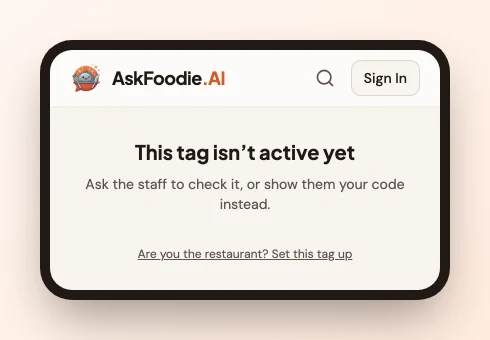
Tap the notification. It opens an AskFoodie page that says "This tag isn't active yet" — that's expected, the card isn't linked to anyone yet.
At the bottom of that page, tap "Are you the restaurant? Set this tag up".
Step 3 — Link the card
You'll be asked: do you already have a restaurant on AskFoodie?
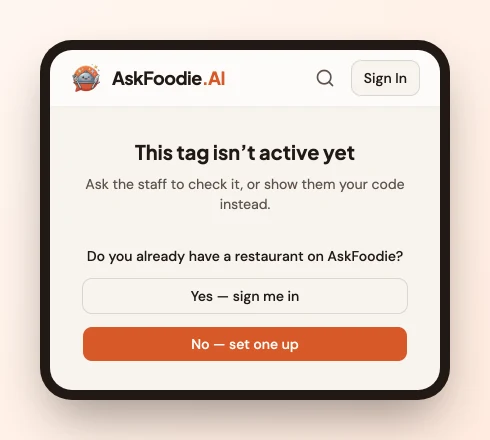
If you already have one
- Tap Yes — sign me in and sign in with your email (we send a 6-digit code) or with Google.
- You come straight back to the same page with your restaurants listed. Pick the one this card belongs to and tap Link.
No need to tap the card a second time to get back here — the page waits for you.
If you're new
-
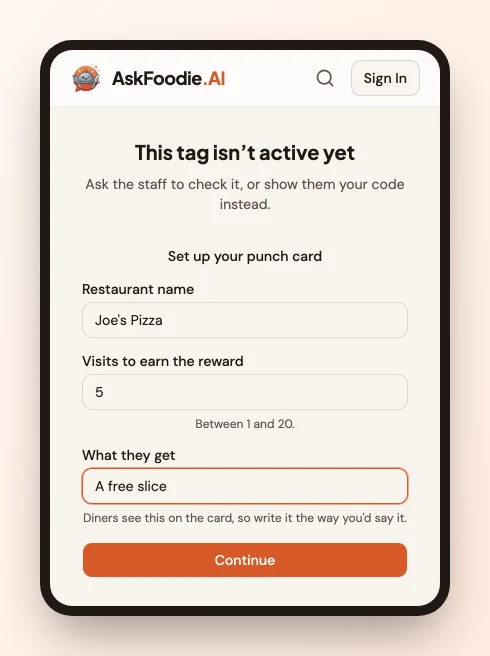
Tap No — set one up and fill in three things:
- Restaurant name
- Visits to earn the reward — e.g. 10
- What they get — e.g. "A free slice". Write it the way you'd say it out loud; diners see this on their card.
-
Enter your email, then the 6-digit code we send you. No password to set.
-
That's it — your restaurant, your punch card and this tag all go live together.
Step 4 — Tap it once more to check
Tap the card again with your phone. You should see "Checked in — stamp added". That's exactly what your diners will see.
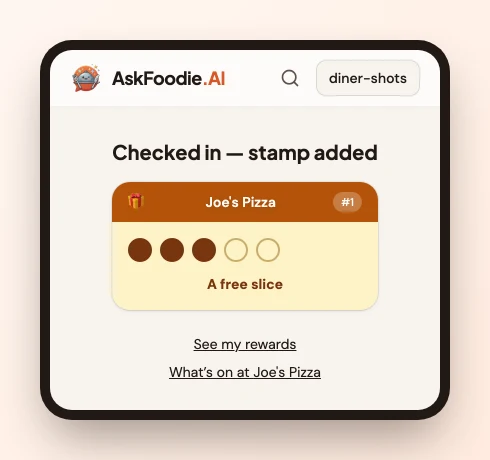
Now put the card on the counter where people pay. That's the whole system: they tap on the way out, the stamp lands, and when the card fills they get the reward you wrote in step 3.
Good to know
- You get 60 free days, and we never ask for a card to start.
- Anyone can tap it — the card holds no personal data and can't be copied by photographing it.
- The reward and the number of visits can be changed later from your dashboard, under Loyalty → Punch card.
- Lost the card? Sign in and release it from Tags in your dashboard, and contact us for a replacement — the lost one stops working.